









WordPress is the right platform for most medspa websites, with one honest caveat: it rewards owners who invest in proper setup, maintenance, and a developer who understands healthcare compliance.
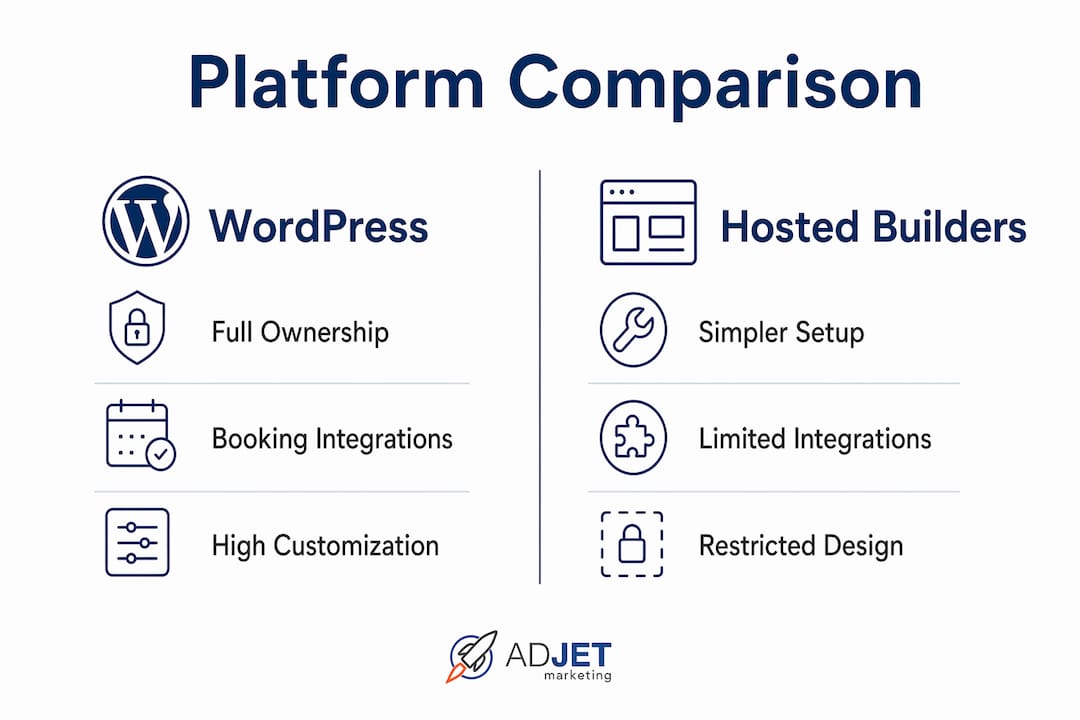
- Ownership and control. WordPress is self-hosted and open source, meaning you own your code, your content, and your data. No vendor can raise prices, change terms, or shut down your site.
- Integration depth. Clinic-grade plugins like KiviCare and CNX Medical bring appointment booking, patient portals, and EHR workflows directly into WordPress, without forcing you into a third-party SaaS subscription.
- SEO and conversion strength. WordPress gives you full control over technical SEO, structured data, and content architecture — the three levers that drive organic bookings for aesthetic practices.
- Maintenance caveat. Unlike hosted builders, WordPress requires active plugin updates, security monitoring, and a reliable backup strategy. Budget for it from day one.
WordPress powers over 40% of websites globally, and its plugin ecosystem includes clinic-grade EHR and booking tools purpose-built for healthcare environments. For a medspa that needs flexibility, integrations, and long-term SEO growth, no other platform comes close.
Table of Contents
- How WordPress compares with Showit, Squarespace, and Webflow
- Why WordPress works especially well for medspa and aesthetic websites
- What plugins and theme choices actually matter for your medspa site
- Security, HIPAA, and data handling on a WordPress medspa site
- SEO and conversion tactics your WordPress medspa site should implement
- What a WordPress medspa site typically costs and how long it takes
- How to choose the right platform: checklist and vendor questions
- How Adjetmarketing structures WordPress medspa sites
- Key Takeaways
- The honest truth about WordPress for medspas
- Adjetmarketing builds WordPress medspa sites that convert
- Useful sources and references
How WordPress compares with Showit, Squarespace, and Webflow
Every platform has a genuine use case. The table below maps the tradeoffs that matter most to medspa owners.
| Dimension | WordPress | Showit | Squarespace | Webflow |
|---|---|---|---|---|
| Design freedom | Very high — custom themes, page builders, full CSS control | Very high — canvas-based drag-and-drop, design-first | Moderate — polished templates, limited structural customization | High — visual CSS control, clean code output |
| Ease of use for staff | Moderate — Gutenberg editor is learnable; complex builds need a developer | Easy for design edits; blog runs on WordPress | Easy — all-in-one, minimal training needed | Moderate — CMS is manageable; design layer needs training |
| SEO capability | Excellent — Rank Math, full schema control, sitemaps, canonicals | Good — relies on WordPress SEO layer for blog | Adequate — built-in basics, limited schema control | Good — clean code, some schema support, improving |
| Booking/CRM/EHR integration | Excellent — native plugins plus REST API for third-party systems | Limited — relies on embeds or third-party widgets | Limited — embed-only, no native clinic integrations | Moderate — API-based, requires custom development |
| HIPAA/data security potential | High — self-hosted, BAA-eligible hosting available, full architecture control | Low — hosted by Showit; no BAA pathway for PHI | Low — hosted by Squarespace; no BAA for PHI | Moderate — can self-host or use Webflow hosting; BAA options limited |
| Cost and maintenance | Medium upfront, ongoing maintenance required | Lower maintenance; monthly platform fee | Lowest maintenance; predictable monthly fee | Medium upfront; hosting and CMS fees ongoing |
| Scalability/developer support | Excellent — largest developer ecosystem globally | Limited — design-focused, not built for complex integrations | Limited — closed ecosystem | Good — growing developer community, but smaller than WordPress |
When a hosted builder makes sense: A single-provider boutique medspa with a small service menu, no EHR integration needs, and a tight launch timeline can do well on Squarespace or Showit. Both platforms get you live faster and require less ongoing technical management.
When WordPress is the right call: A mid-size or multi-location medspa that needs booking integrations, provider profile pages, location-specific SEO, and the ability to add features over time should be on WordPress. The full ownership of code and content that WordPress provides also matters for procurement, transitions between agencies, and long-term control.
Why WordPress works especially well for medspa and aesthetic websites
The core reason WordPress outperforms hosted builders for medspas is structural flexibility. You can model your site as a real information system rather than a set of static pages.
Custom post types and structured content. WordPress lets you create distinct content types for services, provider profiles, locations, conditions, and treatment comparisons. Each service page can link to related providers, relevant conditions, and the nearest location, creating the kind of interconnected content architecture that improves both UX and SEO for patients searching for specific treatments. A Botox page, for example, can pull in the providers who perform it, the locations that offer it, and related services like filler or skin tightening.
- Plugin ecosystem depth. Plugins like KiviCare offer a React-based UI with lazy loading and REST API integration, delivering an app-like booking experience without leaving WordPress. DocBooker provides full appointment workflows including booking forms, calendars, and doctor listings, with a free tier and paid pro add-ons for advanced clinic management.
- SEO advantages. WordPress gives you granular control over title tags, meta descriptions, schema markup, sitemaps, and canonical tags. For a medspa with multiple locations, you can build geo-targeted landing pages for each city or neighborhood without fighting platform limitations.
- Content clusters. You can build treatment cluster pages (e.g., a hub page for “body contouring” linking to CoolSculpting, Emsculpt, and liposuction pages) that signal topical authority to Google and guide patients through a decision journey.
- Before/after galleries. WordPress supports custom gallery plugins with proper alt text, lazy loading, and consent-gated display, which matters both for ADA compliance and for conversion.
- Multi-provider directories. A medspa with multiple injectors or aestheticians can give each provider a structured profile page with credentials, specialties, and a direct booking link.
- Scalability. As your practice grows, WordPress grows with it. Adding a new location, a new service line, or a patient portal is a development task, not a platform migration.
What plugins and theme choices actually matter for your medspa site
The plugin decisions you make at build time determine how maintainable and secure your site is two years from now. Prioritize a lean, well-supported stack over a feature-heavy one.
Page builder strategy. The native Gutenberg block editor handles most content needs and keeps the codebase clean. For more design control, a lightweight block-based builder like Kadence Blocks or GenerateBlocks adds flexibility without the performance overhead of older drag-and-drop builders. Avoid builders that inject heavy shortcodes throughout your content, since those create migration headaches later.
Plugin categories to include:
- Booking and appointments. KiviCare or DocBooker for self-hosted clinic workflows; or a secure embed from a HIPAA-aware scheduling platform if you prefer to keep PHI off the WordPress database entirely.
- Forms. Use a plugin with server-side validation and encryption options. Gravity Forms with encryption add-ons is a common choice for healthcare sites.
- SEO. Rank Math handles schema markup, sitemaps, local SEO, and on-page analysis in one plugin. It supports MedicalProcedure and Physician schema types that matter for medspa service pages.
- Image optimization. Smush or a similar image compression plugin keeps before/after gallery pages fast without sacrificing quality.
- Caching and CDN. A server-level caching solution paired with a CDN (Cloudflare is widely used) keeps load times under two seconds, which directly affects both Google rankings and booking conversion rates.
- Backups and staging. Require automated daily backups with off-site storage and a staging environment as non-negotiable deliverables from any developer you hire.
- Accessibility. Use a plugin that adds ARIA labels and keyboard navigation support, but do not rely on an overlay plugin as a substitute for a properly coded theme.
Theme criteria. Choose a theme that is actively maintained, passes a basic accessibility audit, loads under 200KB without plugins, and supports child themes for safe customization. Themes like Kadence, Astra, or GeneratePress meet these criteria and have large developer communities.
Pro Tip: Keep your plugin count under 20 active plugins. Every additional plugin is a potential security vulnerability and a performance drag. If a plugin hasn’t been updated in 12 months, find an alternative or remove it.
Security, HIPAA, and data handling on a WordPress medspa site
HIPAA compliance for a medspa website is more nuanced than most developers acknowledge. The public-facing website itself, meaning your service pages, blog posts, and provider profiles, does not contain protected health information (PHI). The risk starts the moment a patient submits a form with their name, contact details, and a treatment inquiry.
When PHI enters the picture. Any form that collects a patient’s name alongside a health-related inquiry (treatment interest, medical history, symptoms) may create PHI. That data, once submitted, must be handled by systems covered under a Business Associate Agreement (BAA). This means your hosting provider, your form plugin, your email service, and any CRM that receives form submissions must all be covered.
Architecture options to reduce risk:
- Keep PHI off the WordPress database entirely. Use a form that posts directly to a HIPAA-compliant CRM or EHR system via an encrypted API call, with no data stored in WordPress.
- If you store data in WordPress (using a plugin like CNX Medical, which keeps all data in the site’s own database with no external API calls), your hosting environment must be configured for HIPAA compliance, including encryption at rest, access logging, and a signed BAA with your host.
Security checklist before launch:
- HTTPS enforced site-wide with a valid SSL certificate
- Web application firewall (WAF) active, either at the server level or via Cloudflare
- Least-privilege user roles: staff accounts should not have administrator access
- Plugin and theme update policy documented and assigned to a responsible party
- Automated daily backups with off-site storage and tested restore procedures
- Vulnerability scanning scheduled monthly
Accessibility note. Many healthcare WordPress sites fail accessibility audits because of outdated themes and JavaScript-only UI components. An audit of healthcare WordPress sites found that older themes and inaccessible JS interactions were frequent causes of failure. ADA compliance for medspa websites means your site must meet WCAG 2.1 AA standards, including keyboard navigation, sufficient color contrast, and descriptive alt text on all images. Require an accessibility audit as part of your launch checklist.
Before you launch, confirm that every service that touches patient data has signed a BAA, that your hosting provider offers HIPAA-eligible infrastructure, and that your forms do not store PHI in an unencrypted WordPress database. This is practical guidance, not legal advice — consult a healthcare compliance attorney for binding HIPAA decisions specific to your practice.
For a deeper look at HIPAA-aware software options for medspas, including hosting and integration choices, Adjetmarketing has a dedicated resource that covers BAA requirements and PHI handling in detail.
SEO and conversion tactics your WordPress medspa site should implement
WordPress gives you more SEO control than any hosted builder, but control only matters if you use it. These are the tactics that move the needle for aesthetic practices.

Schema markup for medspa pages. Structured data helps Google understand your content and can trigger rich results in search.
| Schema type | Medspa use case | Where to place it |
|---|---|---|
MedicalProcedure |
Botox, filler, laser resurfacing, CoolSculpting service pages | Individual service page |
Physician |
Injector and provider profile pages | Provider bio page |
LocalBusiness |
Practice location pages, Google Business Profile alignment | Homepage and location pages |
Review / AggregateRating |
Patient review summaries | Homepage, service pages |
FAQPage |
Common treatment questions | Service pages, blog posts |
Technical SEO priorities. Fast hosting matters more than most owners realize. Mobile devices account for a large share of web traffic, and Google uses mobile-first indexing, meaning your mobile site is what gets ranked. Sitemaps, canonical tags, and hreflang (if you run separate sites for multiple locations) should be configured before launch, not after.
On-page and local SEO. Build geo-targeted landing pages for each location, optimized for “[treatment] in [city]” queries. Embed a Google Map, list the address and phone number in structured data, and keep your Google Business Profile consistent with the on-page information. Before/after galleries should include descriptive alt text that names the treatment and the result, not just “before” and “after.”
Conversion elements. A booking CTA above the fold on every service page is the single highest-impact conversion change most medspa sites can make. Pair it with a consultation form as a lower-commitment micro-conversion for visitors who are not ready to book. Trust signals — provider credentials, before/after photos, and verified reviews — should appear on the same page as the CTA, not buried in a separate section.
90-day CRO checklist after launch:
- Test CTA button copy (“Book a Consultation” vs. “See If You’re a Candidate”)
- Add a sticky header with phone number and booking link on mobile
- Install heatmap tracking to identify where visitors drop off on service pages
- A/B test the consultation form length (shorter usually wins)
- Set up Google Search Console and monitor click-through rates by page
For advanced medspa SEO strategies, including content cluster architecture and local citation building, Adjetmarketing has a detailed guide covering the full process.
What a WordPress medspa site typically costs and how long it takes
Budget expectations vary widely, and most owners are surprised by the range. Here is what actually drives the price.
Primary cost drivers:
- Custom design vs. a premium theme with customization
- Number of custom post types and content models (services, providers, locations)
- Booking or EHR integration complexity
- Before/after gallery setup and image optimization
- Accessibility remediation and WCAG audit
- Initial SEO setup (schema, sitemaps, local pages)
Typical cost bands:
- Small medspa with a limited number of providers and a single location typically has lower design and build costs with minimal custom integrations.
- Mid-size medspa with multiple providers and locations usually faces moderate costs including custom content types, booking setup, local SEO, and accessibility considerations.
- Larger or enterprise medspas with multiple locations and custom EHR integrations tend to incur higher costs related to advanced features and full content migrations.
Typical timeline milestones:
- Discovery and content planning: 1–2 weeks
- Design mockups and client approval: 2–3 weeks
- Development build: 3–6 weeks
- Content migration and copywriting: 2–4 weeks (often the longest phase)
- QA, accessibility audit, and staging review: 1–2 weeks
- Launch and initial optimization: 1 week
Total: roughly 10–18 weeks for a mid-size build. Rushed timelines almost always produce sites that need expensive rework within 12 months.
Pro Tip: Reserve a monthly maintenance and optimization budget for the first 6–12 months after launch. Security updates, plugin compatibility checks, conversion testing, and SEO adjustments are ongoing work, not one-time tasks. A site left unmanaged for six months is a security liability.
How to choose the right platform: checklist and vendor questions
Use this framework before you sign a contract with any developer or agency.
Decision checklist:
| Question | If yes, lean toward WordPress | If no, a hosted builder may fit |
|---|---|---|
| Do you need booking or EHR integration? | Yes | No |
| Do you have or plan multiple locations? | Yes | No |
| Do you need full ownership of code and content? | Yes | No |
| Do you have budget for ongoing maintenance? | Yes | No |
| Do you need custom content types (providers, services, locations)? | Yes | No |
| Is long-term SEO growth a primary goal? | Yes | No |
Vendor questions to ask before signing:
- Who manages plugin and theme updates after launch, and how often?
- How do you handle HIPAA compliance — do you sign BAAs, and which services require them?
- What staging and backup processes are included in the deliverables?
- Who owns the code, the theme license, and the content after the project ends?
- Can you show examples of accessibility audits you have completed for healthcare clients?
- What is your post-launch support policy and response time?
Red flags to watch for:
- No staging environment included in the project scope
- No automated backup solution proposed
- No mention of accessibility or WCAG compliance
- Vendor retains ownership of the theme or custom code
- No documented process for plugin updates or security monitoring
- Vague post-launch support with no defined scope or response time
How Adjetmarketing structures WordPress medspa sites
At Adjetmarketing, we treat every medspa WordPress build as a structured information system from the start, not a collection of pages assembled after the fact. The content model comes before the design.
Our implementation checklist:
- Map all content types before development begins: services, providers, locations, conditions, and treatment comparisons each get their own post type with defined fields using Advanced Custom Fields (ACF) or a similar tool.
- Build editorial workflows that include a draft, clinical review, and publish stage, so providers or compliance staff can approve content before it goes live.
- Set up staging and production environments from day one, with automated daily backups and a documented deployment process.
- Run an accessibility audit before launch, not after, checking keyboard navigation, color contrast, alt text requirements, and ARIA labels.
- Establish a quarterly plugin and theme audit cadence to catch outdated or vulnerable components before they become a problem.
What we see in practice. Multi-location medspa clients often come to us with sites that have separate, disconnected pages for each location with no shared content architecture. We restructure these using location post types that pull from a shared service and provider database, so updating a service description updates it everywhere. Booking integration is handled by connecting a HIPAA-aware scheduling system via API, keeping PHI out of the WordPress database while maintaining a seamless patient experience on the front end.
For service cluster work, we build a hub page for each treatment category (injectables, body contouring, skin rejuvenation) that links to individual treatment pages, provider profiles, and location pages. This architecture consistently improves organic rankings for competitive treatment queries within 3–6 months of launch.

Pro Tip: Require alt text and accessibility metadata at the point of image upload, not as a post-launch cleanup task. Build it into your editorial workflow with role-based approvals so every image that goes live meets WCAG standards. It saves significant remediation time later.
You can see examples of this approach in Adjetmarketing’s medspa website design portfolio, including before/after gallery implementations and multi-location architectures.
Key Takeaways
WordPress is the best CMS for most medspa websites because it combines full content ownership, clinic-grade booking integrations, and the SEO control needed to grow organic bookings over time.
| Point | Details |
|---|---|
| WordPress wins on integration and ownership | Self-hosted, open source, and compatible with clinic-grade EHR and booking plugins — no vendor lock-in. |
| Hosted builders suit simple, single-location practices | Squarespace and Showit are faster to launch but lack the integration depth and SEO control medspas need to scale. |
| HIPAA compliance requires architecture decisions | Keep PHI off the WordPress database or use HIPAA-eligible hosting with a signed BAA — confirm before launch. |
| Budget for maintenance from day one | Mid-size WordPress medspa builds typically run $8,000–$20,000; reserve ongoing budget for updates, security, and SEO. |
| Adjetmarketing builds and manages WordPress medspa sites | Adjetmarketing handles content modeling, booking integrations, compliance-aware architecture, and post-launch SEO for aesthetic practices. |
The honest truth about WordPress for medspas
Most medspa owners who ask whether WordPress is worth it are really asking a different question: “Will this platform help me get more patients, or will it just create more work for me?”
The answer depends almost entirely on how the site is built and managed, not on the platform itself. We see this pattern regularly: a clinic launches a beautifully designed WordPress site, then six months later the plugins are outdated, the booking form is broken, and the site is ranking on page three for its own name. The platform did not fail them. The lack of a maintenance plan did.
WordPress rewards practices that treat their website as a business asset, not a one-time project. That means a structured content model, a real SEO strategy, and someone responsible for keeping the technical foundation healthy. When those pieces are in place, WordPress consistently outperforms hosted builders for medspa practices that are serious about organic growth and patient acquisition.
The clinics that get the most value from WordPress are typically the ones that invest in the right build upfront and pair it with ongoing SEO and conversion work. The ones that struggle are usually the ones that hired the cheapest developer, skipped the maintenance plan, and expected the site to generate leads on its own.
If you are weighing WordPress against a hosted builder, the real question is not which platform is better in the abstract. It is whether you are prepared to manage it properly, or whether you have a partner who will.
Adjetmarketing builds WordPress medspa sites that convert
Most medspa websites look good but do not generate consistent patient leads. The gap is usually in the architecture: no structured content model, weak local SEO, and a booking flow that loses patients before they convert.
Adjetmarketing builds WordPress medspa sites designed around patient acquisition, not just aesthetics. That means custom post types for services and providers, HIPAA-aware booking integrations, schema markup for treatment pages, and conversion-tested CTAs from day one. We also manage ongoing SEO, Google Ads, and site maintenance so your site keeps performing after launch.
If you want to know what a properly built WordPress medspa site looks like for your practice, see how we approach medical marketing and what to expect from a first conversation.
Useful sources and references
| Source | Type | What it covers |
|---|---|---|
| KiviCare — Clinic & Patient Management System | Plugin documentation | Booking, patient portal, React-based UI, REST API integration for WordPress |
| CNX Medical Lite — Clinic EHR & Appointments | Plugin documentation | Self-hosted EHR, no external API calls, bilingual support, PHI data control |
| DocBooker — Doctor Appointment & Hospital Management | Plugin documentation | Full appointment workflow, doctor listings, free and pro tiers |
| Rank Math SEO Plugin | Plugin documentation | Schema markup, sitemaps, local SEO, on-page analysis for WordPress |
| Smush Image Optimization | Plugin documentation | Image compression and lazy loading for WordPress galleries |
| WordPress for Healthcare — Priority Pixels | Strategic guidance | Custom post types, content modeling, accessibility audits, editorial governance |
| Do Professional Websites Use WordPress? | Strategic guidance | WordPress market share and ecosystem maturity evidence |
| Statista — Mobile Traffic Share | Primary data source | Mobile device share of global web traffic; supports mobile-first indexing argument |
Recommended
- Crafting Compelling Blog Content For MedSpa Websites – AdJet Digital Marketing & Google Partner Agency | SEO Development Google Ads Social
- Must-Have Features For A Successful Medspa Website – AdJet Digital Marketing & Google Partner Agency | SEO Development Google Ads Social
- Essential Tips For Creating A High-Converting MedSpa Website – AdJet Digital Marketing & Google Partner Agency | SEO Development Google Ads Social
- 2023 Medspa Mastery: The Ultimate Guide To Launching A Thriving Business – AdJet Digital Marketing & Google Partner Agency | SEO Development Google Ads Social