









Online booking conversion optimization is the work of getting more of the people who land on your booking page to finish a booking. You measure the current rate, find the step where people leave, fix that step, and test one change at a time. For clinics, med spas and other appointment-based businesses, the biggest gains usually come from a shorter form, clear information about the appointment, a fast mobile page, and tracking that does not put patient privacy at risk.
This guide covers how to calculate your rate, what to fix first, how to build trust before the booking, and how to test changes. It also covers the privacy and accessibility rules U.S. providers need to keep in view.
TL;DR
- Booking conversion rate is completed bookings divided by booking-page visits, multiplied by 100. Track it by device and by traffic source, not just as one sitewide number.
- Fix the form and the first screen first: ask for the minimum, show the service, length, price and next step, and make the call to action obvious on mobile.
- Offer online booking as the primary path. UCLA Health nearly quadrupled a primary care landing page’s conversion to 23.7% by prioritizing it over phone scheduling.
- Before you add analytics or ad pixels to a booking flow, check HIPAA tracking rules and accessibility. A conversion gain is not worth a compliance problem.
- Change one thing at a time, judge by qualified bookings and not clicks, and give each test enough traffic to mean something.
Table of Contents
- What booking conversion rate measures
- Where visitors drop out of the booking journey
- Fixes that usually move the number
- What to tell people before they book
- Landing pages for paid traffic
- Privacy and accessibility: the part that can undo your gains
- How to test changes properly
- Paid ads, SEO and conversion work: how they fit together
- How we can help
- FAQ
- Sources
What booking conversion rate measures
The formula is simple. Booking conversion rate is the number of completed bookings divided by the number of visits to the booking page, multiplied by 100. If 2,000 people visit and 160 book, your rate is 8%.
The simple formula hides a few choices that change your number:
- What counts as a visit. Some analytics tools count sessions, others count users. Pick one and keep it. Counting the same people at each step of the funnel is what makes step-to-step comparisons honest.
- What counts as a booking. A submitted request is not the same as a confirmed appointment, and neither is the same as a patient who shows up. Track all three if you can.
- Which visitors you include. Someone who lands on your booking page from a branded search is much warmer than someone from a broad ad. Segment by source before you conclude anything.
Be careful with benchmarks. You will see figures like 1.5% to 2.5%, which SiteMinder cites as an average range for hotel websites. That is a hotel number and does not transfer to a pain clinic or a med spa consultation page. A page that only receives people who already searched for your name can convert far higher than a sitewide figure. We cover this in more detail in our piece on clinic conversion rate benchmarks, where one average is split into three targets.
The question “is 12% good?” has no universal answer. It depends on traffic source, service, price point and what you count as a booking. Compare against your own past performance first.
Where visitors drop out of the booking journey
Before you change anything, find the leak. A booking journey usually has five steps: arrive on a page, decide the service is right, open the booking tool, fill in the details, confirm. Check where the biggest share of people stops.
In our agency work, the same patterns come up again and again, and many clinics come to us after noticing that traffic is fine but bookings are not. The usual suspects are:
- The booking path is buried. The visitor has to hunt through a menu, or the call to action sends them to a separate site that looks different.
- The form asks too much. Insurance details, medical history and long free-text boxes at the first step make people leave.
- The page is slow or awkward on a phone. Most local searches happen on mobile, and a booking widget that does not fit the screen loses people quietly. See our guide on healthcare website speed and booking bottlenecks.
- The visitor cannot tell what they are booking. Service, length, cost and what happens next are missing.
- No alternative for people who are not ready. A visitor with one question has nowhere to go except away.
These come from what we see in client accounts, not from a published study, so treat them as hypotheses to check in your own data. Your analytics will show which step loses the most people. Heatmaps and session recordings help, but only if they are set up in a way that does not capture patient information (more on that below).
Fixes that usually move the number
Shorten the form
Ask only for what you need to hold the appointment: name, phone or email, and the service. Collect insurance, history and other details after the booking is confirmed. This matters because patients are comfortable with digital tools. A 2022 Kyruus Health report found that 93% of consumers are interested in digital self-service tools for things like insurance and pre-visit information. So the step is not the problem. Asking for it all at the very start is.
The same report found that over 40% of consumers prefer to book appointments online, up 15 percentage points over the previous five years. Demand for online scheduling is there. Your job is to avoid wasting it.
Put the booking path where people look
Keep a clear call to action in the header, above the fold on mobile, and again at the end of each service page. Use plain labels like “Book a consultation” or “Schedule an appointment”. Where possible, let the booking tool load on the same page instead of sending people to a different domain, because every redirect is a chance to lose someone.
UCLA Health is a useful real example. Its primary care landing page rose nearly fourfold in conversion, to 23.7%, after the team prioritized online booking over phone scheduling and added interactive maps and video visit options. A health system’s brand and traffic are different from a small practice’s, so do not expect the same number. The direction is what transfers: make online booking the main route and give people the details they need on the page.
Keep the phone option
Do not remove the phone number. Some patients, especially for sensitive services or complex cases, still prefer to call. Show the number as a tap-to-call button on mobile and treat phone bookings as conversions in your tracking, or your rate will look worse than it is.
Make mobile the main design
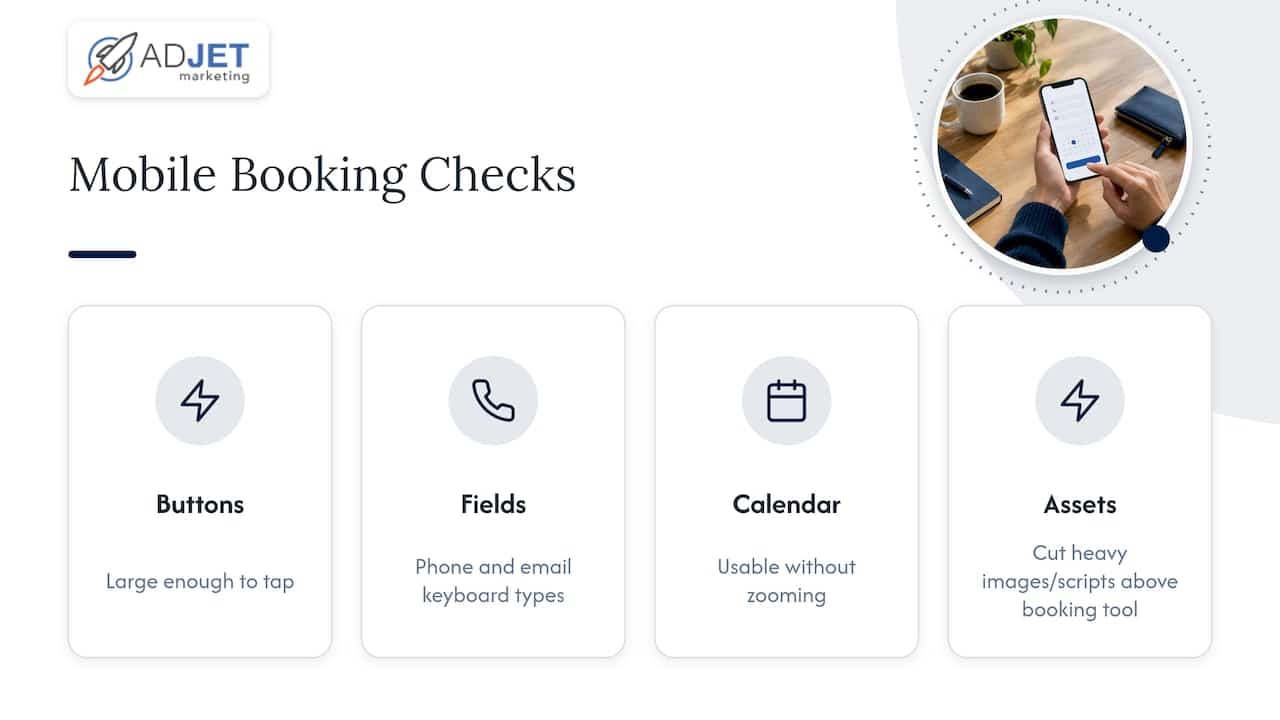
Test your own booking flow on a mid-range phone on a normal cellular connection. Buttons need to be large enough to tap, fields need the right keyboard type (phone, email), and the calendar must not require zooming. Cut heavy images and scripts above the booking tool.
Reduce choices at the calendar
Show the next available times first. Hide services that rarely get booked behind a secondary menu. Too many appointment types force a decision before the person has committed to anything.
What to tell people before they book
Visitors book when they know what they are agreeing to. On the booking page itself, state:
- what the appointment is and who it is for
- how long it takes
- what it costs, or whether a consultation is free
- where it happens, or how the video visit works
- how to prepare
- your cancellation expectations
- what happens right after they submit
Booking-optimization guidance from Strikingly lists these same items and adds relevant proof near the form. Proof means real patient reviews, credentials, and before-and-after photos where your regulator and your patients’ consent allow. Place it next to the form, not three scrolls away.
Be careful with claims. If you are in a regulated area, such as aesthetics or cannabis retail, any health claim on the page has to be supportable. The FTC has required that health claims be backed by competent and reliable scientific evidence and has acted against advertisers whose claims were unsubstantiated. A booking page that promises results you cannot document creates risk, and it also tends to attract the wrong inquiries.
A short FAQ block under the form (cost, insurance, cancellations, first visit) does two jobs: it answers the doubts that stop people, and it gives search engines more relevant text. For a closer look at the layout side, see our guide to booking page conversion for clinics and our walkthrough on how to increase booking rates from website visitors.
Landing pages for paid traffic
If you run Google Ads, do not send every click to your homepage. Send each campaign to a landing page that matches the search: one service, one message, one booking action. Our article on the role of landing pages in healthcare marketing explains the logic, and five medical landing page elements we have tested shows the parts we reuse.
A cleaner landing page often lowers your cost per booking more than a bid change does, because the same ad spend produces more bookings. It is worth fixing the page before you raise the budget.
Privacy and accessibility: the part that can undo your gains
This section matters most for U.S. healthcare providers, and it is where optimization tools can cause trouble.
HIPAA and tracking technologies
Standard marketing tags can capture information from booking flows. HHS guidance says that when a tracking vendor receives appointment information and an individual’s IP address through a covered entity’s booking flow, the vendor is a business associate, and a business associate agreement is required. HHS also warns that tracking on pages that do not require login can still collect protected health information, for example if it captures the reason someone is seeking care.
In practice, for a covered clinic:
- Review every pixel, tag and session-recording tool on the booking path.
- Do not pass form field contents, service names tied to a condition, or appointment details to ad platforms.
- Use vendors that will sign a BAA where PHI could be involved, and otherwise keep them off those pages.
- Ask your compliance advisor or healthcare attorney to review the setup. That is the right professional for this question, and your marketing team should not decide it alone.
Simple appointment data can also leak in other ways. HHS reported that Phoenix Cardiac Surgery agreed to pay $100,000 after clinical and surgical appointments were posted on a publicly accessible internet calendar. Check that your scheduling tool never exposes appointment details publicly.
Accessibility
A booking flow that people with disabilities cannot use is a lost booking and a legal exposure. The Department of Justice’s position is that businesses must give people with disabilities full and equal enjoyment of goods and services offered on the web, and its settlements over online vaccine scheduling required accessibility standards and regular testing. That fact sheet concerns vaccine sites, but the principle applies to any appointment flow.
Practical checks: every field has a label, the whole flow works with a keyboard alone, color contrast is sufficient, error messages say what went wrong, and the calendar can be used with a screen reader. Accessible forms also tend to convert better for everyone.
How to test changes properly
Optimization without testing is guessing. A workable process:
- Set the baseline. Record at least a few weeks of booking conversion by device and source.
- Pick one hypothesis. For example, “cutting the form from eight fields to four will raise completed bookings.”
- Change one element. If you change the headline, form and button together, you will not know what worked.
- Run it long enough. Small practices have low traffic. Run a test for full weeks, so weekday effects are covered, and do not stop it the moment one version leads.
- Judge by qualified bookings. A shorter form can raise submissions and lower quality. Look at show rate and the share that become paying patients.
- Record the result. Keep a log of what you tested and what happened, including the flat results.
If your traffic is too low for a split test, make a change, compare the same weeks before and after, and note any ad or seasonal shifts. It is less rigorous but still better than no measurement. Our 90-day sprint for healthcare marketing ROI lays out how we schedule this work, and optimizing a clinic website for more patients covers the wider site.
Paid ads, SEO and conversion work: how they fit together
These three are often treated as rivals, but they solve different problems.
| Approach | What it does | Typical timeline | Best when |
|---|---|---|---|
| Google Ads | Buys traffic from people searching now | Traffic starts quickly; tuning takes weeks | You need bookings sooner and the booking page already works |
| SEO | Builds free, lasting visibility | Usually months | You want durable lead flow and can wait |
| Conversion optimization | Raises the share of visitors who book | Gains can show within weeks if traffic is adequate | Traffic is fine but bookings are not |
If your booking page converts poorly, more traffic from either channel mostly buys you more abandoned visits. That is why we often start with the page. Timelines vary with competition, budget and starting point, and we do not promise specific outcomes.
Our perspective
When a clinic tells us it needs more leads, the first thing we check is rarely the ad account. We open the booking page on a phone, try to book, and count the taps. More often than not, the page is the cheapest place to find extra bookings, because it improves every channel that sends traffic to it.
We also treat compliance as part of conversion, not a separate task. A booking flow that leaks appointment data or fails a screen reader is not an asset, however well it converts on paper. Our process is built so tracking, forms and reporting stay within HIPAA-aware practice, and our reporting shows booked appointments, not just clicks.
Be wary of anyone who promises a conversion rate in advance. The honest approach is to measure your baseline, fix the largest leak, test, and repeat.
Felix
How we can help
If you would rather have a team build and test this with you, our conversion rate optimization service covers booking-page audits, form and call-to-action testing, and reporting. For ready-made page options, our landing page plans include a Starter Plan at $299 per month, a Premium Plan at $1,500 per month, and a Single Landing Page at $2,000 one-off. Our optimization plan runs from $300 to $1,500 per month. For med spas specifically, see our med spa marketing page.
FAQ
What is a good online booking conversion rate?
There is no single good number. Hotel sites, for instance, are often quoted at around 1.5% to 2.5%, but that does not apply to clinics. Measure your own baseline by device and source, then aim to beat it.
How do I calculate online booking conversion rate?
Divide completed bookings by visits to the booking page and multiply by 100. With 160 bookings from 2,000 visits, the rate is 8%. Decide up front whether you count sessions or users and whether a request counts as a booking, then stay consistent.
Is it safe to use ad pixels and analytics on a booking page?
Not automatically. For HIPAA-covered providers, HHS guidance says tracking vendors that receive appointment information may be business associates, and a BAA is required. Have your compliance advisor review every tag on the booking path before launch.
Should I remove phone booking if I add online booking?
No. Make online booking the main path, but keep a tap-to-call option and count phone bookings as conversions. Some patients prefer to call, and removing the option can cost you appointments.
How long before I see results from booking page changes?
It depends on traffic. A busy page can show a clear difference within a few weeks. A low-traffic page needs longer, and you should avoid judging a test before it has run for full weeks.
Sources
- Your Find Care Experience, Kyruus Health (2022)
- UCLA Health, Best Landing Page (2022 report)
- HHS, Use of Online Tracking Technologies by HIPAA Covered Entities
- HHS, Phoenix Cardiac Surgery settlement
- U.S. Department of Justice, Accessibility of Vaccine Web Sites fact sheet
- FTC, warning letters to CBD companies (2019)
- SchedulingKit, Booking Conversion Rate definition
- Caletus, Appointment booking conversion rate guide
- SiteMinder, How to boost your hotel conversion rate
- Strikingly, Online Booking Optimization