









Claim your Google Business Profile today if you haven’t already, then finish the fields that actually move patients to call: exact medical category, services list, direct appointment link, current hours, and insurance attributes. Add a HIPAA-safe review response template before you ask a single patient for feedback. Put a 20-minute audit on your calendar every month to reap the benefits for local businesses. That’s the whole game.
TL;DR:
- Ensure your practice’s primary category is as specific as possible, such as Dermatologist, and add secondary categories that reflect actual services provided.
- Use an appointment link with UTM parameters and set up call tracking to convert GBP views into booked patients effectively.
- Conduct a 20-minute monthly audit to verify hours, update photos, respond to questions, and manage reviews to maintain profile accuracy.
- Avoid duplicate listings by requesting postcard verification resend if needed, and never create multiple profiles for the same location.
- Fix common mistakes like inconsistent NAP information, generic categories, and missing booking links to improve local ranking and visibility.
Table of Contents
- How Do You Claim and Verify a Medical Google Business Profile?
- What Categories, Services, and Attributes Should a Medical Profile Use?
- How Do You Handle Patient Reviews Without Violating HIPAA?
- Which Photos and Videos Build Patient Trust on Your Profile?
- How Do Multi-Location Practices Set Up Google Business Profiles?
- How Do You Turn GBP Traffic Into Booked Appointments?
- What Should Go on a Monthly Google Business Profile Audit?
- What Belongs in a Medical GBP Setup Checklist?
- What Do Clinics Get Wrong Most Often on Google Business Profile?
- How Agencies Help Clinics Get More From Their Profile
- Sources
How Do You Claim and Verify a Medical Google Business Profile?
Start by searching your practice name plus city on Google Maps. If a listing already exists, someone (a former staff member, a directory scraper, even a patient) may have created it without you. Claim it rather than building a duplicate, since duplicate listings split your reviews and confuse Google’s local algorithm.
Here’s the sequence that works:
- Go to Google Business Profile Manager and search your practice name and address.
- If a listing exists, click “Claim this business.” If not, select “Add your business.”
- Enter your legal practice name exactly as it appears on your license and tax documents. No keyword stuffing here. Google’s guidelines explicitly ban adding descriptors like “Best Dermatologist Dallas” to your name field.
- Choose your verification method. Google typically offers a postcard mailed to your physical address (5 to 10 business days), a phone or text code, or sometimes an instant email verification for practices with an existing, well-established web presence.
- Once verified, fill these fields before anything else:
- Legal business name and physical address (must match your signage and licensing paperwork)
- Direct phone number, not a call center line
- Appointment or booking URL
- Your most specific primary category
If the postcard never arrives, request a resend after about two weeks rather than starting a second listing. A second attempt at verification is far less damaging than a duplicate profile that Google later has to merge, which can freeze your review count and photos for weeks.
What Categories, Services, and Attributes Should a Medical Profile Use?
Category selection is where most clinics leave visibility on the table. Google rewards specificity, and “Doctor” as a primary category tells the algorithm almost nothing useful about who should see your listing. Choose the narrowest accurate option, “Dermatologist,” “Pain Management Physician,” “Physical Therapist,” instead of the generic parent category, then layer in two or three secondary categories that reflect real services you provide.
The Services section deserves more attention than most practices give it. Each entry acts almost like a mini keyword targeting a specific patient search. Instead of listing “Consultations,” break it into “Botox Consultation,” “Skin Cancer Screening,” and “Acne Treatment,” each with a one or two sentence patient-friendly description. This granularity helps your Google Business Profile match condition-based searches that a vague service list would miss entirely.
Healthcare-specific attributes matter too, and they’re easy to overlook:
- “Accepts new patients” (toggle this on if true, and keep it current)
- Insurance types accepted, listed by name where the field allows it
- Telehealth availability
- Accessibility features (wheelchair-accessible entrance, restroom)
For the profile description itself, write two to three plain sentences describing what you treat and who you serve. Skip the marketing language entirely.
Pro Tip: Add Physician or MedicalOrganization schema markup to your website’s location page, then link that page directly from your GBP website field. A complete profile with matching categories, services, and attributes reinforces the same signals Google reads on-site, which strengthens both.
If you manage the schema yourself or want a second set of eyes on category selection, our guide to healthcare SEO walks through the technical side in more depth.
How Do You Handle Patient Reviews Without Violating HIPAA?
Reviews carry real weight in local rankings, and volume plus recency both factor into how Google ranks your listing against nearby practices. That means a five-star review from eight months ago helps less than three solid reviews from last week.
Requesting reviews compliantly means asking generically, never tying the request to a specific visit, diagnosis, or treatment mentioned in an EHR message. A simple “We’d appreciate your feedback” text or email sent a day or two after a visit works fine. What you can’t do is reference the appointment reason in that message, since that creates a written record linking a patient’s name to their treatment outside your clinical system.
Responding is where practices get nervous, and reasonably so. The safe formula: acknowledge the feedback, apologize if the tone calls for it, then invite the reviewer to contact you directly. Never confirm that someone is a patient, and never reference their condition or visit details in a public reply.
Acknowledge, don’t confirm. A response like “Thank you for sharing your experience. Please call our office directly so we can address your concerns” protects patient privacy while still showing you’re responsive.
Two templates to keep on hand:
- Positive: “Thank you so much for the kind words! We’re glad you had a good experience with our team.”
- Negative: “We’re sorry to hear this. Please reach out to our office directly at [phone number] so we can look into this further.”
For anything involving a specific complaint about care, escalate to your practice manager before any public reply goes out. Healthcare providers should never disclose protected health information when responding to reviews, and that rule holds even when a frustrated reviewer names their own condition in their post.
Which Photos and Videos Build Patient Trust on Your Profile?
Stock photos are the fastest way to make a medical profile look untrustworthy, and patients notice. Real photos of your exterior, waiting room, exam rooms, and staff (with consent) do far more to convert a profile view into a phone call.

Aim for aAt least 10 photos at initial setup, then add 2 to 3 new ones monthly. That cadence signals active management to Google, and authentic facility photos consistently drive more clicks than a static, stock-heavy profile ever will.
A few practical notes:
- Shoot in landscape where possible, and keep resolution above 720px on the shortest side
- A short video tour (30 to 60 seconds) or a brief staff introduction adds a level of trust photos alone can’t
- Name your image files descriptively before upload (“dermatology-exam-room-dallas.jpg”) rather than leaving a camera’s default filename
- Add a one-line caption to each photo where the platform allows it
Our MedSpa GBP optimization guide covers photo sequencing in more detail if your practice runs an aesthetic side alongside clinical services.
How Do Multi-Location Practices Set Up Google Business Profiles?
Every physical clinic location needs its own Google Business Profile. One listing covering three addresses, or a single generic “Locations” page linked from all three, confuses both patients and Google’s local ranking system, and it usually costs you visibility in at least one of those markets.
Here’s the setup sequence for multi-location groups:
- Create a separate, verified GBP for each physical address, with its own phone number where feasible.
- Build a dedicated page on your website for each location, not a shared directory page. That page needs unique content: the provider bios for staff at that specific location, a Google Maps embed, direct phone number, and current hours.
- Keep your name, address, and phone number (NAP) identical across your website, GBP, and any directory listing. Inconsistent citations are one of the most common reasons a location profile underperforms nearby competitors.
- Verify each location’s provider information against the CMS NPI registry, which serves as the authoritative federal record for clinician names and practice addresses.
For day-to-day management, a hybrid model tends to work best: corporate sets templates and brand standards, but local staff maintain photos, hours, and location-specific content so each profile keeps its own local signal strength.
How Do You Turn GBP Traffic Into Booked Appointments?
A profile that gets views but no calls isn’t doing its job. The fix usually starts with the appointment link field. Add a direct booking URL, or integrate Reserve with Google if your booking software supports it, since appointment integrations meaningfully improve booking conversion when connected properly.
A few tactical notes:
- Use a direct booking URL with UTM parameters rather than a generic homepage link, so you can trace bookings back to GBP specifically
- Set up call tracking on the phone number listed in your profile
- Track appointment form submissions that originate from GBP-referred traffic
Pro Tip: If your specialty leans on longer consultations (plastic surgery, pain management), a phone-first call to action often converts better than a self-service booking widget. High-volume, routine-visit specialties like dermatology or dental tend to see stronger results from direct online booking.
What Should Go on a Monthly Google Business Profile Audit?
Set a recurring calendar reminder, because a profile that goes unmanaged for three months starts showing outdated hours, stale photos, and unanswered questions, all of which erode trust fast.
Monthly tasks worth the 20 minutes:
- Confirm hours are correct, including upcoming holiday closures
- Add at least one new photo
- Answer any pending questions in the Q&A section
- Recheck that your service list and attributes still match what you offer
- Scan for and respond to new reviews
Inside Google Business Profile Insights, three metrics tell you the most:
| Metric | What it tells you |
|---|---|
| Search queries (direct vs. discovery) | Whether patients find you by name or by searching a condition or service |
| Calls and direction requests | Real intent signals, not just page views |
| Photo views | Whether your visual content is pulling attention |
Assign one staff member as the profile owner. Pair the GBP dashboard with your appointment system data monthly, comparing search terms and call volume against actual booked visits, to see which changes are actually working.
What Belongs in a Medical GBP Setup Checklist?
A working checklist keeps setup and maintenance from falling through the cracks between busy clinic weeks. Keep these on hand:
- One-page setup checklist covering verification, category selection, services, attributes, and photo minimums
- HIPAA-safe review response templates (positive, negative, and escalation wording) saved somewhere your front-desk team can access quickly
- A bookmarked link to Google’s official Business Profile help center for policy questions
- The CMS NPI registry for verifying provider credentials on location pages
What Do Clinics Get Wrong Most Often on Google Business Profile?
The same three mistakes show up again and again: inconsistent NAP across directories, a generic category like “Doctor” instead of a specific one, and no appointment link at all. Fixing those three usually shows measurable movement in calls within 6 to 12 weeks, not overnight. Watch call volume and direction requests, not just star rating.
— Felix
How Agencies Help Clinics Get More From Their Profile
Doing all of this well, category selection, review governance, booking integration, monthly audits, takes real hours every month, and most clinic owners are already stretched thin running patient care. An agency can be the alternative to hiring an in-house marketing coordinator: they may handle the GBP audit, fix category and service structure, set up HIPAA-safe review workflows, and connect booking tracking to help you see which changes actually drive calls.
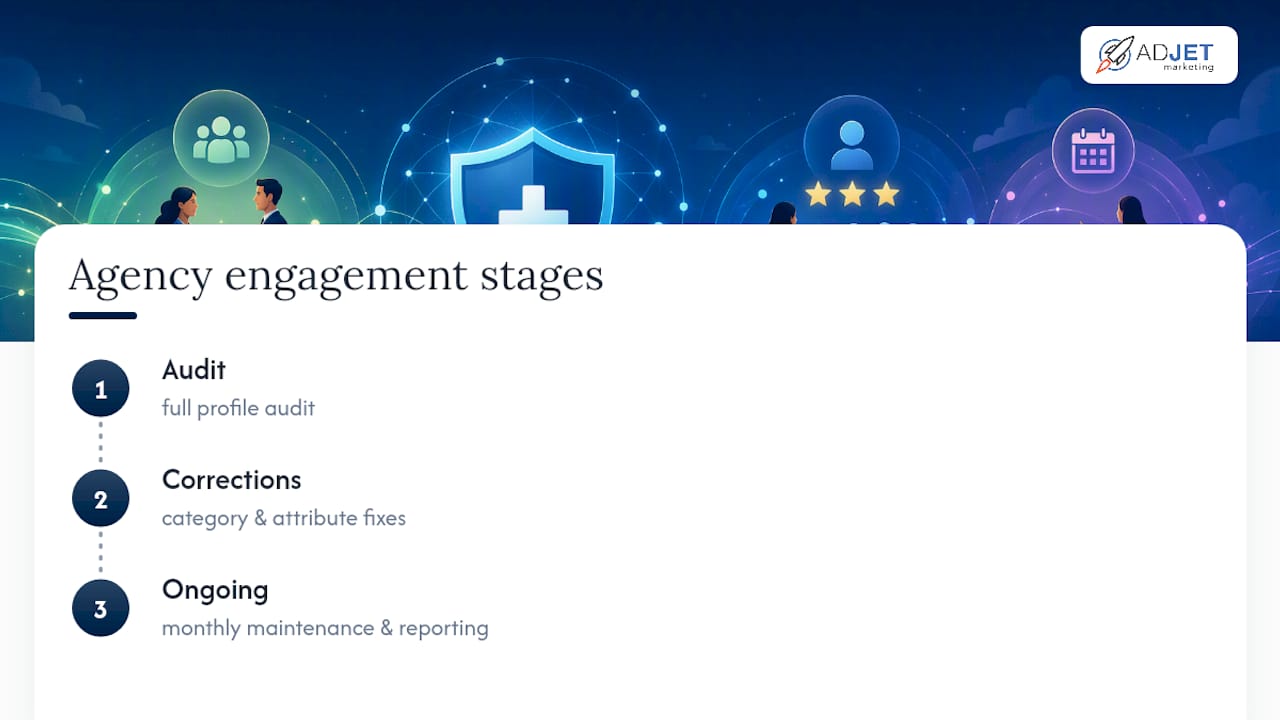
Typical agency engagements often start with a full profile audit, move into category and attribute corrections within the first weeks, then settle into ongoing monthly maintenance and reporting. Timelines vary by how much cleanup a profile needs, but audit findings can reshape how clinics think about their listing.
If you want a starting point you can use today, download the Medical Clinic Marketing Checklist and work through it against your current profile, or reach out if you’d rather have us run the audit for you.
This article is general information, not a substitute for advice from a qualified doctor. Consult a qualified healthcare professional about your own circumstances before acting on anything here.